

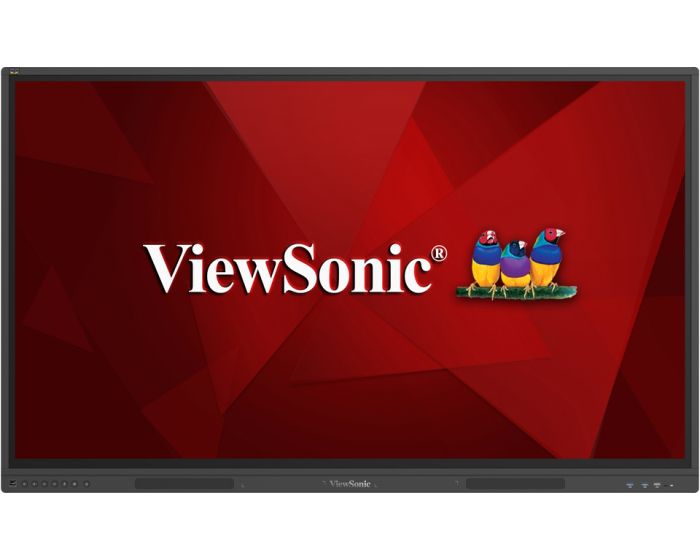
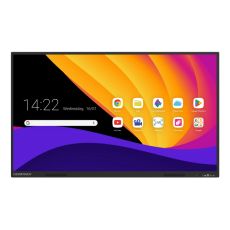
ViewSonic IFP86G1 86" Touch Screen
Transform teamwork and efficiency with the ViewBoard IFPG1 Series of Bring Your Own Device interactive displays. Boasting an upgradable framework, this series ensures versatility by seamlessly integrating with slot-in PCs across EDLA, Windows, and Linux operating systems. Through these integrations, it enables access to Google Workspace and Microsoft 365 productivity suites to elevate workspace dynamics. This versatility extends to its USB-C plug-and-play connectivity, enabling instant and fluid presentations from connected devices, regardless of their platform. Prioritising productivity and peace of mind, the series emphasizes data security, ensuring sensitive information remains securely stored on connected devices for workflows that are truly safe and efficient.
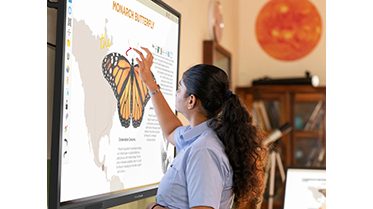 |
Built to Last The IFP G1 Series' upgradable framework ensures easy integration with your existing hardware, guaranteeing versatility and prolonging longevity of use. Boasting EPEAT Silver and ENERGY STAR 8.0 certifications, it offers a versatile, energy-efficient, and forward-thinking solution for the needs of dynamic workspaces. |
|
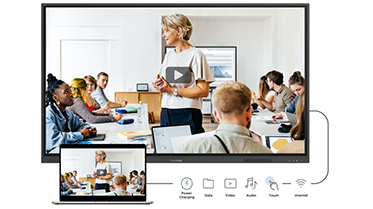
USB-C Plug and Play Connectivity Experience seamless connectivity with the USB-C one-cable solution. Simply plug in your laptop, desktop PC, or mobile device to instantly bring presentations to the big screen for clearer viewing and annotation. With up to 65W power delivery, it conveniently charges connected devices, creating a clutter-free workspace. |
 |
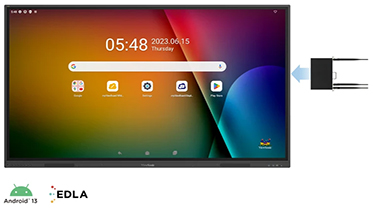 |
Seamlessly Integrates with Slot-In PCs Enhance your productivity and collaboration potential by seamlessly integrating the IFPG1 with a slot-in PC featuring your OS of choice. An EDLA-certified OPS will bring more advanced whiteboarding capabilities and integrated access to the Google Play Store and Workspace Suite. Opt for a Windows slot-in PC to work in a familiar desktop environment, or select a FreeDOS or UEFI Shell device for extended customisation possibilities. |
| Item | IFP86G1 |
|---|---|
| Brand | ViewSonic |
| Weight (kg) | 62.350000 |
| Condition | New |
| EAN | 0766907024685 |
| Diagonal in Inches | 86 |
| Aspect Ratio | 16:9 |
| Built-in PC | Optional |
| Built in Android | No |
| Touch Technology | Infra Red |
| Touch Points | 40 |
| Resolution | 4K Ultra HD |
Delivery Charges
Delivery Info & Rates for Mainland UK (Excluding Scottish Highlands & Remote Areas)
We can offer standard delivery on most items going to UK Mainland, not including Scottish Highlands or remote areas, and standard delivery will be an all-day service either within 1-2 working days or on the specified courier's delivery date for your postcode area. Standard delivery is also kerbside only but we can sometimes offer a 2-person delivery option and timed services, please contact us if you require this or require the screen on/by a specific date.
- Standard Delivery = £25 + VAT
- Free delivery available for most accessories & smaller items
- For special services or specific delivery dates please contact us for more information.
All deliveries are sent with 3rd party couriers and must be checked for external damage before signing/accepting the delivery, and then please notify us immediately. Please also check for any internal damage or faults and notify us within 1 week of delivery to allow us to get it swapped out on a 'Dead on Arrival' basis.
Delivery Info & Rates for Non-Mainland UK, Remote Areas & International Shipping
Please contact us for quotes and information on procedure and timeframes.
About Education
Choosing the Right Interactive Screen for Your School: What Teachers Need to Know
Let’s be honest—if you're teaching in a classroom today, chances are you’ve battled with a projector that refuses to cooperate, a whiteboard that won’t align properly, or a cable that never seems to be the right one. Sound familiar? You’re not alone.
Across the UK, more and more schools are retiring their old projector setups and turning to interactive flat panel displays (IFPDs)—also called interactive TVs for classrooms or touchscreen displays for schools. These bright, responsive, reliable screens are changing how teachers teach and how students engage, from Early Years right through to Sixth Form.
But—and this is important—not all panels are created equal. And not every classroom needs the same solution. So how do you know what’s right for your school?
This guide is written for real teachers, ICT leads, headteachers, and decision-makers in schools. We’ve worked with hundreds of classrooms. We’ve seen what works (and what doesn’t). And we’re keeping this honest, practical, and free of technical waffle.
Why Switch from a Projector to an Interactive Panel for Schools?
Projectors were revolutionary when they first appeared in schools. But times have changed.
They need constant maintenance—bulbs, filters, remote batteries. They’re washed out by daylight. They create shadows. And let’s not even start on recalibrating the whiteboard every few weeks. Most teachers we speak to say the same thing: “We’ve made it work, but we’re ready for something better.”
Interactive panels for education are the modern replacement—and they really are better. They’re like having a giant, responsive tablet fixed to your wall. They’re bright enough to use with the lights on and the blinds open. There are no shadows. No warm-up time. No waiting. No bulb changes. No recalibrating. Just tap and go.
They’re also built for interactivity—so students can take part, not just watch. That’s a game-changer.
What Makes the Best Interactive Panel for Classrooms?
We get this question a lot. Here’s the answer: a good panel doesn’t just look good on paper—it works well in practice.
The best interactive screens for classrooms:
Turn on in seconds
Let teachers write or draw naturally, with no lag
Let you switch from a whiteboard to a website to a video seamlessly
Work with your school’s devices—whether that’s iPads, Windows laptops, or Chromebooks
Allow students to cast their work to the screen—without the drama of adaptors
But the biggest test? Whether it fits your lesson rhythm. A great interactive flat panel display for schools should help you teach, not hold you back.
What’s the Right Interactive Panel for Nursery and Early Years?
In Early Years classrooms, simplicity matters most. There’s no time for clunky interfaces or complicated steps. You need a screen that’s intuitive, strong, and adjustable for smaller learners.
A 55" or 65" interactive touchscreen for EYFS on a height-adjustable trolley is usually ideal. It can be moved around the room and lowered for seated activities or floor play.
One nursery team we supported installed a mobile BenQ panel. They used it for phonics, storybooks, and calm visuals. The kids didn’t wait for instructions—they just walked up and started exploring. That’s exactly what you want in a nursery setting: technology that fits in naturally.
What’s the Best Interactive TV for Primary School Classrooms?
In Key Stage 1 and 2, the interactive TV for primary education becomes the centrepiece of your teaching day. It’s where you model writing, explain methods, run spelling games, share videos, and mark up student work.
A 65" or 75" wall-mounted panel is the go-to. These screens should let you open a whiteboard instantly, annotate PDFs, switch between apps smoothly, and save your work to revisit later.
One Year 4 teacher told us how they used their Promethean screen every morning for spelling starters. It helped pupils settle in, encouraged group participation, and took no extra effort to prep. The screen supported the classroom routine without needing constant input.
What’s the Best Interactive Display for Secondary School Classrooms?
In secondary schools, classroom tech needs to be subject-aware and quick. Science teachers need sharp visuals for diagrams. English teachers want annotation and side-by-side text displays. Maths staff need stylus precision for working through problems live. Everyone needs it to just work.
Most classrooms use 75" to 86" interactive flat panel displays for secondary education, usually wall-mounted for security and convenience.
In one secondary science lab, teachers used ViewSonic panels in split-screen mode—showing an experiment setup on one side and live notes on the other. They annotated as they taught and recorded the lesson so students could review it later. It made the whole experience more interactive and easier to revisit.
What About Colleges and Universities? Choosing an Interactive Screen for Further Education
In further education settings—like sixth forms, colleges, and universities—the expectations shift again. Lecturers are often delivering complex, multi-layered content to larger groups. Rooms vary wildly in size and layout, and AV needs tend to include lecture capture, dual content display, and seamless switching between multiple input sources.
A good interactive flat panel for higher education must be adaptable. Think of a university seminar room where a lecturer wants to display a live data set alongside student notes—or a college art class casting from multiple devices. You need 75" to 86" panels at minimum, and you need excellent connectivity: multiple HDMI ports, USB-C, wireless casting, and split-screen capability.
One FE college we supported rolled out interactive panels across multiple departments. In construction workshops, tutors used the panels to bring up 3D models and annotate technical diagrams with learners. In health and social care classes, lecturers played case study videos and captured group mind-mapping sessions directly from the board.
The feedback? The screens made delivery smoother and helped standardise the learner experience across different buildings and disciplines.
If your FE or HE setting is juggling a mix of laptops, tablets, and fixed PCs—or you want to capture and share lessons easily—this kind of tech can genuinely streamline your teaching.
Should You Choose a Wall-Mounted or Mobile Interactive Panel?
Here’s how we usually guide schools:
Early Years, SEND, and shared rooms: go for a mobile trolley. It lets you move the screen and adjust the height for different activities or pupil needs.
Upper primary and secondary: a fixed wall-mounted classroom touchscreen display keeps things secure, accessible, and always ready to go.
We support schools across the UK with professional interactive panel installation, including wall brackets, PC modules, soundbars, and advice on screen placement to ensure visibility and access.
Will Our Devices Work with a Classroom Interactive TV?
Yes. Whether your school uses Chromebooks, iPads, Windows laptops—or all three—we’ll help you choose an interactive TV for education that supports your devices.
We make sure the panel supports wireless casting, wired connections (USB-C, HDMI), and works with your existing platforms like Google Workspace, Microsoft Teams, or OneDrive.
No adaptors. No delays. No guesswork.
What Software Comes with an Interactive Panel for Schools?
Some brands bundle in excellent teaching software—whiteboard apps, timers, screen recording, and more. Others rely on subscription services that can add up over time.
If you want powerful tools with no ongoing costs, we recommend brands like Promethean, BenQ, or ViewSonic—they offer full-featured systems with lifetime licenses included.
Already using SMART Notebook or similar software? No problem—we’ll help you pick a panel that supports it.
Which Brand Makes the Best Interactive Panel for Education?
Each has its strengths, depending on your setting. Here’s a quick breakdown:
- Promethean – Excellent for primary. Free whiteboard tools, simple UI, no subscriptions.
- SMART Board – Best in secondary, especially for STEM. Accurate stylus input, great software.
- Clevertouch – Flexible platform. Works well with mixed devices and MAT-wide rollouts.
- BenQ – Ideal for EYFS or SEND. Safe, clean interface, and wellness features like eye-care mode.
- ViewSonic – Budget-friendly without cutting corners. Great for multiple rooms or large academies.
Need a side-by-side comparison? We’ll send you one—no sales pressure, just clear info.
Do Interactive Screens for Schools Actually Help Learning?
Absolutely. They’re not just replacements for whiteboards. They’re teaching tools that make learning more visible, more collaborative, and more engaging.
We’ve seen students who struggle with writing light up when they can contribute by moving images on screen. We’ve watched reluctant readers join in when they can annotate text digitally. And we’ve seen how whole-class modelling becomes easier, clearer, and more dynamic.
One SENDCo told us her Year 8 pupil, who rarely participated, started joining in geography lessons by organising visual steps on screen. It gave him access and confidence.
How Do You Get the Best Price on an Interactive Flat Panel Display?
Here’s the part many schools don’t know: list prices are just the start.
We submit a manufacturer bid on your behalf. If your school is the first in your area to request a quote on a particular model, we can often access first-bid pricing—a reduced rate from the brand, which we pass directly to you.
It’s simple, quick, and can lead to significant savings—especially if you're buying more than one panel.
Can We Try One First? (Yes!)
Yes, and we encourage it.
We offer free demos of interactive screens for education, including:
In-person demos (depending on location)
Online walkthroughs for SLT and staff
Trial unit loans for classroom testing (where possible)
We want you to feel confident before you commit. No pressure—just a real look at what works.
Final Thoughts: Why Interactive Panels Are the Future of Classrooms
Projectors had their time. But schools today need tools that are clearer, faster, easier to manage, and more inclusive.
A great interactive panel for classrooms isn’t just a flashy screen—it’s a reliable partner in everyday teaching. When chosen well, it helps teachers teach, helps pupils engage, and helps schools deliver better learning.
At Interactive Panels UK, we support you from start to finish:
- We help you find the right fit
- We get you the best price via manufacturer bids
- We handle installation and aftercare
- And we make the whole thing feel simple
Let’s get started.
Ask us for a quote or request a bid Book a demo
Or just give us a call 0800 066 8150 and say, “Where do we start?”

Other suitable alternatives
-
 In Stock 25£2,239.20 £1,866.00Clevertouch X5 86" Touch ScreenIn stockBuilt-in PC OptionalCondition NewBuilt in Android YesResolution 4K Ultra HDTouch Points 40Touch Technology High Precision TechnologyDiagonal in Inches 86Aspect Ratio 16:9Weight (kg) 53.55