

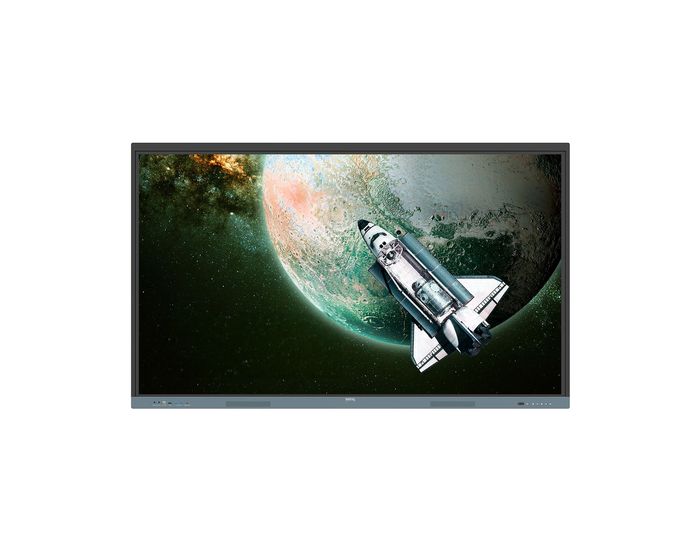
BenQ RE7504 75" Touch Screen
Harness the power of Google
The EDLA-certified BenQ Board combines Google services with ever-reliable BenQ hardware and software.
Direct file access
Google Drive integration lets you access and save files to your cloud storage directly from the board.
Built-in data security
Keep your boards safe against security and privacy threats with Google Play Protect and Safe Browsing.
A whiteboard like no other
Do more than just write or draw. EZWrite’s expandable canvas offers limitless possibilities with its rich collection of lesson tools and helpful AI features.
Use your own files
Import a variety of lesson files, interact with its contents on the whiteboard, and then export the session as an editable file for a future class.
A tool for every need
Pull up any of EZWrite’s built-in tools that are designed to engage students, and meet a wide variety of lesson activities and subjects.
Take lessons to the cloud
Extend the whiteboard so that others can participate and interact with the board whether they’re joining from their seats or from home.
Essential tools for every teacher
The RE04 uncomplicates your teaching experience by giving you everything you need on one board
Your own space and data
All accounts are secure and separate—allowing you to have your own teaching space while preventing others from accessing your data.
Organise with ease
Save time by having all your most-used apps, files, and widgets arranged and accessible directly from your home screen.
Snap. Record. Write.
The Floating Tool lets you take snapshots, record your screen, and annotate over any app, file, webpage, or video displayed on the board.
Sidebar access
Expand the sidebar for convenient access to recent apps, files, and input sources, as well as a shortcut to the home screen.
Expanded search
Use BenQ Search to quickly query related content from the internet or sort through your lessons files stored on the board or your cloud.
Enhance your lesson flow
Increase teaching efficiency with the multi-window mode, allowing you to whiteboard while using other apps on the side.
5-in-1 connectivity
The multipurpose USB-C port allows for quick data transmission, clear audio/video playback, touchback controls, and 65-watt charging.
Full vibrant audio
Experience enhanced audio with the board’s built-in 20-watt speakers that offer crisp, room-filling sound.
Everyone can share
InstaShare 2 lets everyone share ideas freely. Wirelessly cast lesson content and interact with any device from anywhere in the room.
Beyond screen sharing
Do more than just cast your screen. Media sharing makes lessons more dynamic. Share photos, videos, or even a live camera feed from your device directly to the board.
Moderate sessions with ease
Host controls allow you to effectively manage your sessions. Accept or reject sharing requests and show or hide screens, while the AI Guardian automatically blocks nude content
Management made easy
BenQ takes out the complexity from device and user list management, significantly reducing IT workload so they can focus on other tasks.
Effortless user list syncing
Simplify identity management by syncing any of your existing Google Workspace, Entra ID (formerly Azure Active Directory), ClassLink, LDAP, or SAML-based user lists.
Centralised management
Remotely manage all your BenQ devices on an all-in-one console that lets you install, update, and delete apps, push firmware updates, and automate tasks such as startup and shutdown.
Enhanced data security
Safeguard your data through the RE04’s secure login options and access controls, regular system updates, and built-in Google Play Protect and Safe Browsing measures.
Data-driven efficiency
Generate specific and comprehensive device analytics so you can monitor how your boards are being utilised and adjust usage guidelines to maximise efficiency.
School-wide announcements
With X-Sign Broadcast, you can send out timely announcements to all your BenQ displays. Inform your school about upcoming events, important reminders, and emergencies.
Easy on the eyes
Eye care technologies, such as the RE04’s low blue light filter and flicker-free screen, help reduce eye strain in class, while its anti-glare 4K screen ensures clear images every time.
IP5X dust protection
The IEC 60529-complaint RE04 screen prevents dust accumulation even in the most dust-prone environments. Transform the Classroom with the BenQ RE7504 75” EDLA Touch Display. Step into a smarter, more connected classroom with the BenQ RE7504 75" interactive display.
This EDLA-certified powerhouse is built specifically for education, combining the trusted performance of BenQ hardware with seamless integration into the Google ecosystem. Its expansive 75-inch 4K UHD screen gives teachers and students ample space to collaborate, create, and stay engaged—whether in-person or in hybrid settings.Running on Android 13 and certified by Google EDLA, the RE7504 offers instant access to Google Workspace, Google Play apps, and secure user sign-ins. Its intuitive design includes responsive multi-touch functionality, smooth writing with zero-lag ink, and germ-resistant glass—perfect for busy classroom environments.
Features like NFC login, dual-screen collaboration, cloud storage access, and powerful built-in speakers make this display a true classroom hub.Setup is fast, and usability is effortless. Teachers can plug it in and start teaching with minimal IT involvement. Everything about the RE7504 is designed to simplify classroom technology while enhancing teaching and learning.
Ready to upgrade your classroom? Book a live demo today, buy using a purchase order, or ask about flexible leasing options. Contact us now for expert advice and the best education pricing—we’re here to help your school make the smart choice.
Our review of the RE7504
The benq re7504 is a powerful 75 inch 4K interactive display built for schools, meeting spaces and modern workplaces that value clarity, simplicity and reliable performance. With vivid Ultra HD resolution, smooth touch response and a smart built-in interface, this display helps teams collaborate more naturally and educators teach more confidently.
From the moment it powers on, the benq re7504 feels easy to use and familiar. Its Android 13 platform, combined with official Google EDLA certification, gives you seamless access to Google Drive, Meet, Docs, and other tools straight from the benq home screen. You can sign in securely, open your files, and jump into lessons or meetings without needing a separate device.
This display is designed to make interaction effortless. The screen supports up to 40 touchpoints with smooth writing and gesture support that feels accurate and responsive. The benq work screen is intuitive and flexible, letting users switch between whiteboarding with EZWrite, sharing screens wirelessly with InstaShare, or sending out announcements through the built-in broadcast feature.
For presentations, training and media playback, the dual front-facing 20 watt speakers deliver rich sound that fills the room. The screen itself has a 450 nit brightness rating and is treated with an anti-glare, toughened glass finish, ensuring everything on screen remains crisp and easy to see, even in bright light.
Connectivity is generous and straightforward. USB-C with 65 watt charging, HDMI, DisplayPort, legacy VGA and full LAN control options give you everything you need to integrate it into your setup. It also supports remote management using BenQ’s myViewBoard Manager, making it easy for IT staff to monitor devices and push updates across multiple rooms or locations.
Whether you’re fitting out a school, designing a hybrid workspace or upgrading a traditional meeting room, the benq re7504 offers a professional and user-friendly solution. It’s designed to run throughout the working day, offers TÜV-certified low blue light and flicker-free comfort, and is fully compatible with secure mounting systems for any setting.
How we can help
When you buy from us, you're choosing a trusted UK provider that understands your environment and can support you from selection to installation. Of course you want gret value, but how can you achieve this. Talk to us first, let us drop in the first bid with the manufacturer with you. We will do our best to use our high tier pricing to give you a really discount. You might one to check it out in person, so asj about a demo. Funding often works well with leasing - its not a painful process. How to start - just hit the chat button or use our contact form.
| Item | 9H.F9FTK.DE6 |
|---|---|
| Brand | BenQ |
| Weight (kg) | 50.200000 |
| Condition | New |
| EAN | 4718755093852 |
| Diagonal in Inches | 75 |
| Aspect Ratio | 16:9 |
| Built-in PC | Optional |
| Built in Android | Yes |
| Touch Technology | Infra Red |
| Touch Points | 40 |
| Resolution | 4K Ultra HD |
Delivery Charges
Delivery Info & Rates for Mainland UK (Excluding Scottish Highlands & Remote Areas)
We can offer standard delivery on most items going to UK Mainland, not including Scottish Highlands or remote areas, and standard delivery will be an all-day service either within 1-2 working days or on the specified courier's delivery date for your postcode area. Standard delivery is also kerbside only but we can sometimes offer a 2-person delivery option and timed services, please contact us if you require this or require the screen on/by a specific date.
- Standard Delivery = £25 + VAT
- Free delivery available for most accessories & smaller items
- For special services or specific delivery dates please contact us for more information.
All deliveries are sent with 3rd party couriers and must be checked for external damage before signing/accepting the delivery, and then please notify us immediately. Please also check for any internal damage or faults and notify us within 1 week of delivery to allow us to get it swapped out on a 'Dead on Arrival' basis.
Delivery Info & Rates for Non-Mainland UK, Remote Areas & International Shipping
Please contact us for quotes and information on procedure and timeframes.
